


Introduction
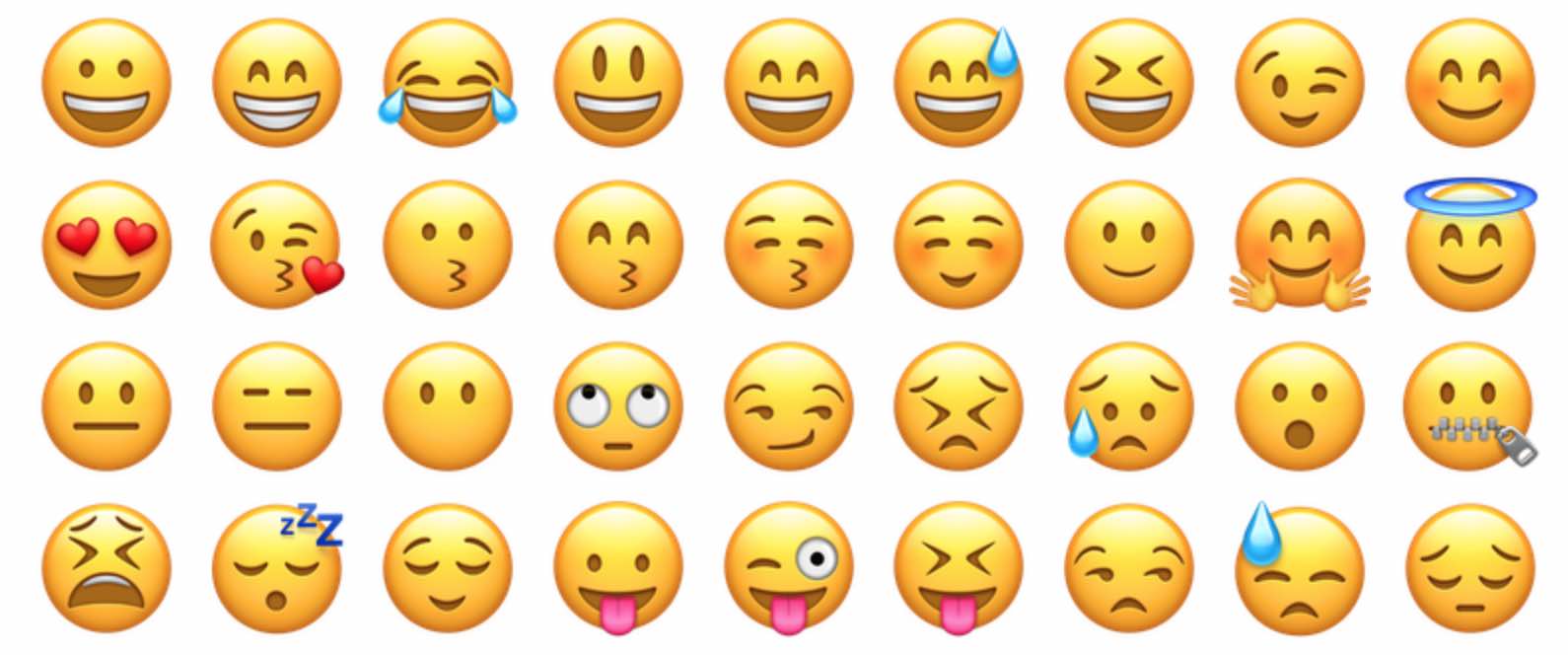
In today’s digital world, visuals play a big role in grabbing attention — and emojis are one of the simplest ways to add emotion and personality to your web content. Whether you are writing a blog, building a landing page, or designing an eCommerce website, HTML Emojis can make your message feel more human and expressive.
In this guide, we’ll explore how to use emojis in HTML, where to find emoji codes for websites, and how they can improve your brand’s communication.
😃 What Are HTML Emojis?
HTML Emojis are small pictorial symbols that express emotions, ideas, or objects. Technically, every emoji has a Unicode — a unique number that browsers convert into a graphic symbol.
For example:
😀
When you paste this code in your HTML file, it shows → 😀 (grinning face).
This means that even if your system or font doesn’t support emojis, browsers can still display them correctly using their Unicode values.
🧩 How to Use Emojis in HTML
You can add emojis to your web page in two main ways:
✅ 1. Directly Copy and Paste
The simplest way is to copy an emoji from a website and paste it into your HTML code:
<p>Welcome to our website 😍</p>
Most modern browsers and devices support this method.
✅ 2. Using HTML Entity Codes
If you want to ensure compatibility or avoid encoding errors, use HTML Emoji Codes:
<p>Welcome to our website 😍</p>
Both methods show the same result, but using codes is safer when you’re dealing with server encoding issues.
💻 Commonly Used HTML Emoji Codes
Here are some of the most popular HTML Emojis you can use right away:
| Emoji | Code | Description |
|---|---|---|
| 😀 | 😀 | Grinning Face |
| 😂 | 😂 | Laughing |
| 😍 | 😍 | Heart Eyes |
| 😎 | 😎 | Cool Face |
| ❤️ | ❤ | Red Heart |
| 💡 | 💡 | Light Bulb |
| 🚀 | 🚀 | Rocket |
| 💻 | 💻 | Laptop |
| 🏠 | 🏠 | House |
| ⭐ | ⭐ | Star |
You can use these codes in your blog titles, buttons, or even in navigation menus to add a touch of creativity and friendliness.
✨ Why Use Emojis in Web Design?
Emojis make your website more relatable and emotionally engaging. Here’s how:
- Boost User Engagement: Emojis draw the reader’s eye and keep them interested longer.
- Express Emotions Quickly: A simple 😊 can communicate warmth better than a sentence.
- Enhance Visual Appeal: Emojis break text monotony and add color to your design.
- Improve Branding: Brands that use emojis appear more friendly and modern.
- Work Across Devices: With HTML codes, emojis display consistently across browsers.
📱 Examples of Using Emojis Creatively
- In Blog Titles:
“10 Tips to Boost Your Website Speed 🚀”
“How to Stay Motivated While Working From Home 💪” - In Buttons or CTAs:
<button>Buy Now 🛒</button> <button>Contact Us 💬</button> - In Email or Chat Widgets:
Emojis like 😊 or 👍 make your messages more conversational and friendly.
🧠 SEO Benefits of Using Emojis
Did you know emojis can also help your SEO?
When used naturally, HTML Emojis can:
- Increase click-through rates in meta titles and descriptions.
- Make your content stand out on search results pages.
- Improve user retention by adding emotional tone.
Example of a catchy meta title:
“HTML Emoji Codes 💻 – The Complete Guide for Web Designers”
⚠️ Tips to Use Emojis the Right Way
- Don’t overuse emojis — keep it simple and clean.
- Test how emojis appear on different devices.
- Make sure emojis fit your brand tone (professional vs. fun).
- Use HTML codes for maximum compatibility.
🚀 Conclusion
Adding emojis to HTML is a small trick that brings big impact. From expressing emotions to improving user interaction, HTML Emojis help your website feel alive, modern, and engaging. Whether you’re a blogger, designer, or digital marketer, start adding emojis to your content today — and make your web pages speak the language of emotion!
Here’s a useful list of HTML emojis and how to use them — including codes, symbols, and examples 👇
🎉 Basic Smileys & Emotions
| Emoji | HTML Code | Description |
|---|---|---|
| 😀 | 😀 | Grinning Face |
| 😃 | 😃 | Smiling Face with Open Mouth |
| 😄 | 😄 | Big Smile |
| 😁 | 😁 | Beaming Face with Smiling Eyes |
| 😂 | 😂 | Face with Tears of Joy |
| 🤣 | 🤣 | Rolling on the Floor Laughing |
| 😊 | 😊 | Smiling Face with Smiling Eyes |
| 😍 | 😍 | Heart Eyes |
| 😘 | 😘 | Blowing a Kiss |
| 😎 | 😎 | Smiling Face with Sunglasses |
| 😢 | 😢 | Crying Face |
| 😡 | 😡 | Angry Face |
❤️ Hearts & Love
| Emoji | HTML Code | Description |
|---|---|---|
| ❤️ | ❤ | Red Heart |
| 💔 | 💔 | Broken Heart |
| 💕 | 💕 | Two Hearts |
| 💞 | 💞 | Revolving Hearts |
| 💖 | 💖 | Sparkling Heart |
| 💘 | 💘 | Heart with Arrow |
🌍 Nature & Weather
| Emoji | HTML Code | Description |
|---|---|---|
| ☀️ | ☀ | Sun |
| 🌤️ | 🌤 | Sun Behind Small Cloud |
| 🌧️ | 🌧 | Cloud with Rain |
| 🌈 | 🌈 | Rainbow |
| 🌍 | 🌍 | Earth Globe (Europe–Africa) |
| 🌸 | 🌸 | Cherry Blossom |
| 🌳 | 🌳 | Tree |
| 🔥 | 🔥 | Fire |
💼 Objects & Items
| Emoji | HTML Code | Description |
|---|---|---|
| 💡 | 💡 | Light Bulb |
| 📱 | 📱 | Mobile Phone |
| 💻 | 💻 | Laptop |
| 🖊️ | ✎ | Pen |
| 📷 | 📷 | Camera |
| 🎁 | 🎁 | Gift |
| 💰 | 💰 | Money Bag |
🚗 Travel & Places
| Emoji | HTML Code | Description |
|---|---|---|
| 🚗 | 🚗 | Car |
| 🚌 | 🚌 | Bus |
| 🚕 | 🚕 | Taxi |
| ✈️ | ✈ | Airplane |
| 🚀 | 🚀 | Rocket |
| 🏠 | 🏠 | House |
| 🏢 | 🏢 | Office Building |
⚙️ Symbols & Signs
| Emoji | HTML Code | Description |
|---|---|---|
| ⚙️ | ⚙ | Gear |
| ✅ | ✅ | Check Mark |
| ❌ | ❌ | Cross Mark |
| ⚠️ | ⚠ | Warning |
| ⏰ | ⏰ | Alarm Clock |
| ⭐ | ⭐ | Star |
| 🔔 | 🔔 | Bell |
✨ Example HTML Usage
<p>Hello there! 😀 Welcome to <strong>My Website</strong> 🌎 ❤️</p>
Output:
Hello there! 😀 Welcome to My Website 🌍 ❤️

